Private · precise · on all your devices
Understand your usage without giving away your readings.
Zählerstand stores your readings on your device. With the optional account you back them up end-to-end encrypted and use them on iPhone and Android – only your devices can read them.
Zählerstand
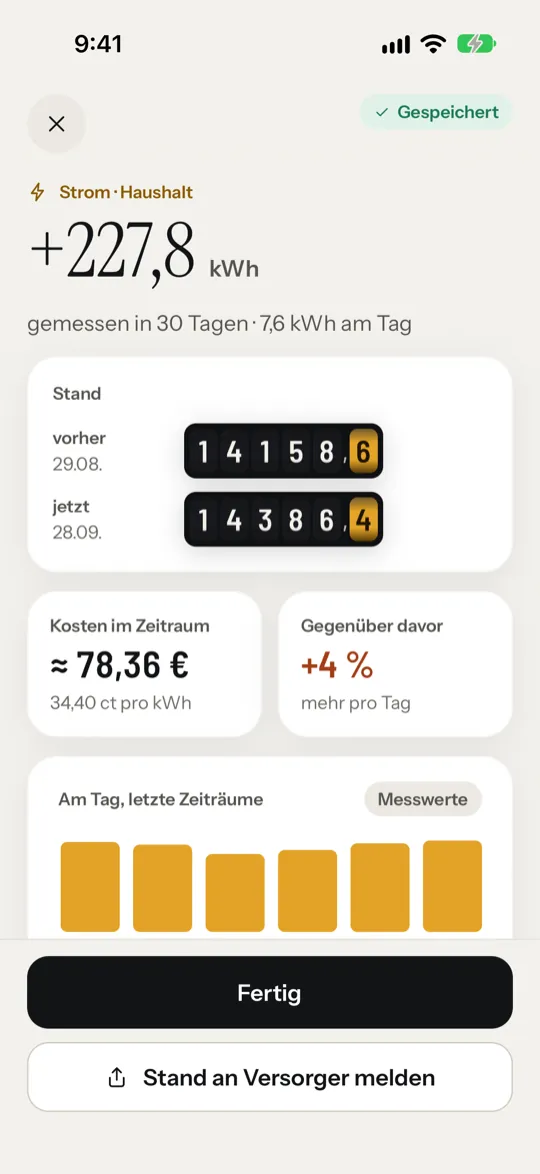
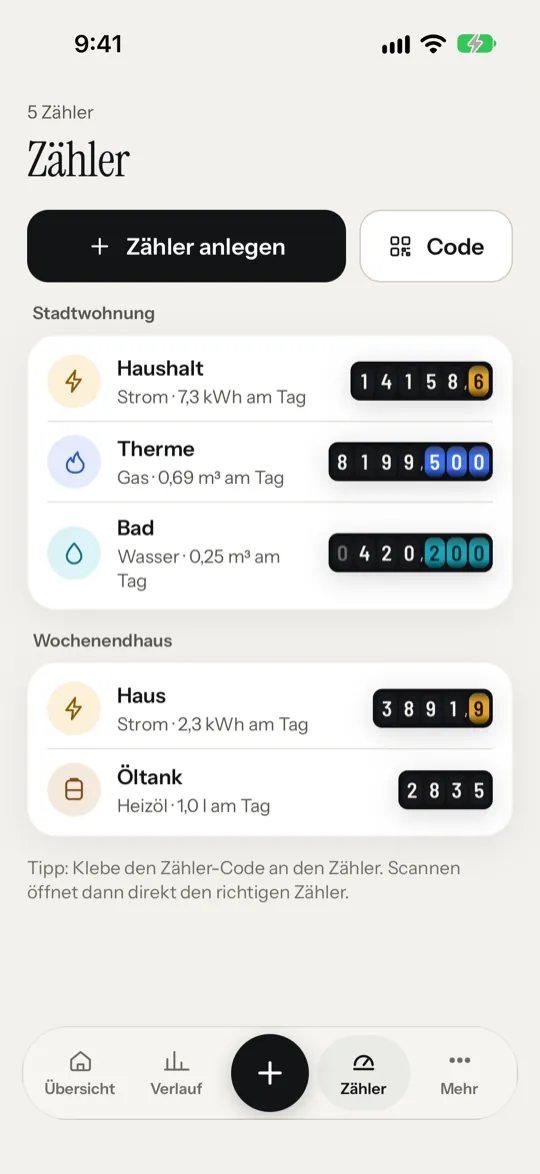
For electricity, gas, water, district heating, heating oil and heat cost allocators. Read meters with your camera.
Quick help
The most important answers.
Backing up data
With an account, Zählerstand backs up your meters automatically and encrypted. Without an account, create a backup file under “More” → “Data and backup” before you delete the app or change devices.
New device
Sign in and confirm the device on another device with Zählerstand – both show the same code. Or enter your recovery key.
Lost your key?
As long as a device is signed in, you can create a new recovery key under “More” → “Account”. Without the key and without a device, we can’t open the backup either.
Restoring Pro
Open “More” → “Zählerstand Pro” and tap “Restore” at the bottom. Use the same Apple or Google account you bought with.
Recording heating oil correctly
Enter the tank level in litres. A falling level is calculated as usage; a rise is recognised as a refill and not counted as usage.
Reminders missing
Check in the system settings whether notifications are allowed for Zählerstand. Reminders are scheduled locally by the operating system.
Estimate or measured value?
The difference between two readings is measured. Monthly costs, annual values and the Bill Radar are projections from your entries.
Still need help?
Write to support@northprofitstudio.de. Please mention your platform, app version and a short description of the problem – but don’t send sensitive readings.
NorthProfit Studio
An app by NorthProfit Studio.
NorthProfit Studio in Düsseldorf, Germany, builds apps for iOS and Android, websites and AI automation – and runs nine products of its own, including Zählerstand.