Plan · play · show it live
Your tournament schedule, ready in minutes.
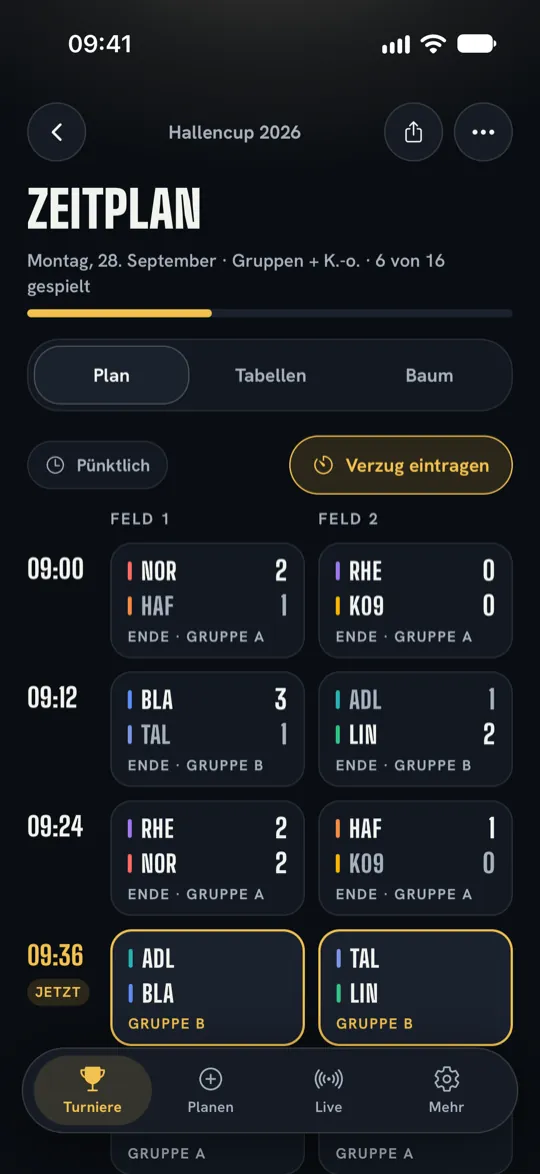
Turnierklar plans group stages and knockout rounds, with Pro also leagues with matchdays, sets times and fields, shows the live score on phones and on the projector, and lets helpers enter results.

Turnierklar
For clubs, schools, company events and private tournaments – no account needed for spectators and helpers.
Quick help
The most important answers.
Creating a tournament
Under “Plan” you enter teams, choose “Round robin”, “Knockout” or “Groups + knockout” and, if you wish, set the start, match length and fields. The app creates the schedule instantly.
League with matchdays
From version 2.2.12, with Pro you choose the format “League with matchdays” in the planner. Everyone plays each other over the season, with home and away matches if you wish. You set up matchdays weekly or every two weeks, with a kick-off time if you wish, and you can move each one individually. If you wish, the app reminds you of your matchdays; the next three are always scheduled. The live link shows the season standings, the next matchday and the latest results. There is no Event Pass for leagues.
Entering results
Tap a match and set the result on the scoreboard. Standings, knockout bracket and next matches update instantly. Tapped the wrong score? You correct or remove the result in the same sheet. After saving, the app briefly shows the new table position and the next match.
Live score and projector
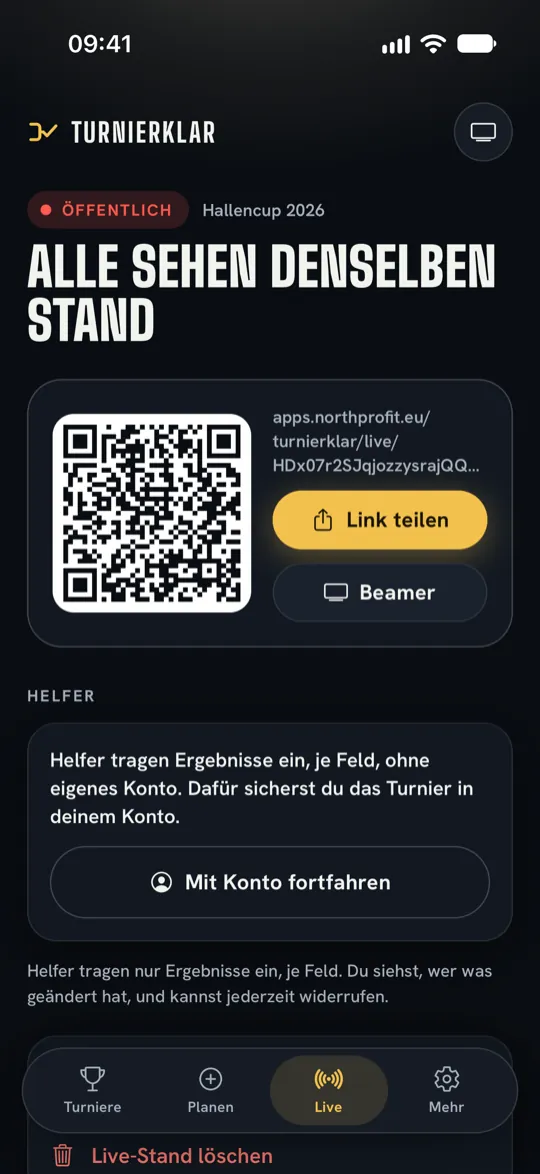
With Pro or an Event Pass for this tournament, you publish the score in the “Live” tab via link or QR code. “Open projector view” shows tables, next matches and the bracket in large format for the hall. Spectators need neither the app nor an account.
Inviting helpers
With an account and Pro or an Event Pass, you invite helpers under “Live”, per field if you wish. Helpers only enter results, in the app or in the browser. The log shows every entry; “Revoke” ends an invitation immediately.
Tournament-day reminders
On the tournament page, under “Tournament-day reminder”, you set when the app reminds you: 30 minutes, 1 or 2 hours before kick-off and, if you wish, before every round. The reminders apply only to this device.
“Now / Up next” on the Lock Screen
On tournament day, the app shows the current and next matches with a countdown to the next round. On iPhone they appear as a Live Activity, on Android as a notification. You can turn this off in the same settings.
Planning the next tournament
Once the final has been played, the tournament page shows the winner and placings. “Plan next tournament” takes teams, format and schedule into the assistant; you only choose the date.
Sharing the date
In the “…” menu you share the date as a calendar file with kick-off and end, for example with teams and parents. Once the live score is published, the link is included.
Account and backup
The account is optional: sign in with Apple, Google or an email code under “More” → “Account”. It backs up your tournaments and brings them to a second device. You can delete it there or without the app via “Delete account”.
Restoring purchases
Open “More” and choose “Restore purchases”, with the same Apple or Google account. An Event Pass stays assigned to exactly the tournament it was redeemed for.
Receipt for your club or school
If you buy the Event Pass or the annual subscription in the app, Apple or Google sells you the access. Their receipt is the official proof of purchase, which you can submit to your club’s treasurer, for example; we don’t issue our own invoice for store purchases. After every purchase, Apple sends an invoice by email to the address of your Apple Account; you can find all purchases at reportaproblem.apple.com (opens in a new tab) or in the App Store via your profile picture and your purchase history. After every purchase, Google Play sends a confirmation email; you can find your order history in the Play Store app under profile icon → “Payments & subscriptions” → “Budget & history” or on the web at payments.google.com (opens in a new tab) → “Activity”. The Event Pass applies to exactly one tournament and doesn’t renew. Anyone who used Turnierklar before version 2.2.0 continues to plan up to 8 teams for free, including for schools. Whether your club reimburses a privately paid purchase is up to the club.
Export
With Pro or an Event Pass, you share your tournament as a PDF poster with schedule, tables and bracket. The CSV for spreadsheets is free: in the tournament’s “…” menu or in the “Live” tab under “Export schedule as CSV”.
Deleting a live score
You delete live scores you no longer need in the app in the “Live” tab. Without updates, they disappear by themselves after 90 days.
NorthProfit Studio
An app by NorthProfit Studio.
NorthProfit Studio in Düsseldorf, Germany, builds apps for iOS and Android, websites and AI automation – and runs nine products of its own, including Turnierklar.